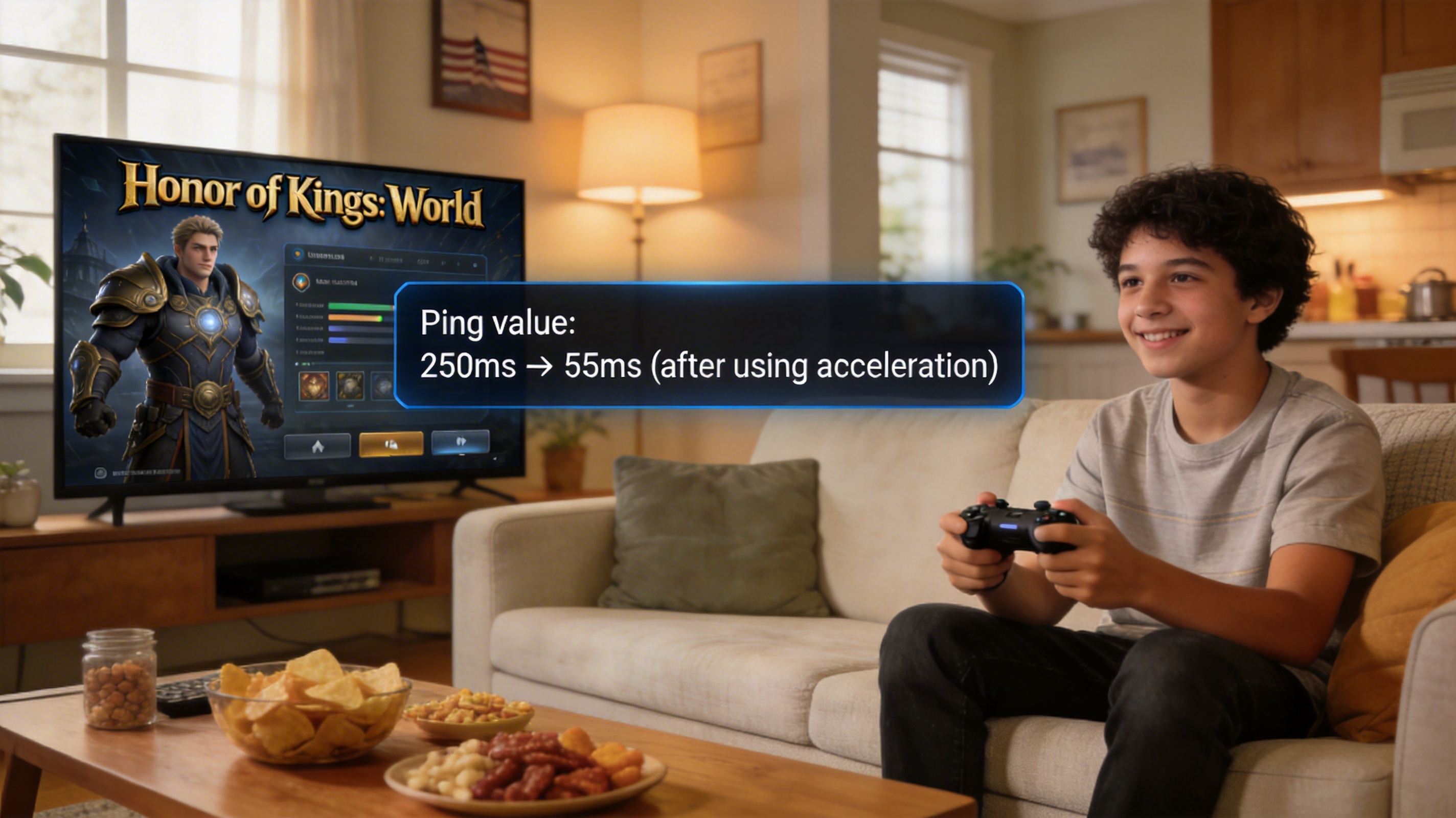
Let's start with the baseline data I tested last week, so you can compare with your own situation
I'm based in Irvine, California, using Xfinity 1200Mbps broadband. When connecting directly to the Chinese server of Honor of Kings: World, the ping is stable at 220-260ms, with a packet loss rate of 12%-18%. If using 5G mobile network, the ping is even higher, reaching over 280ms. Basically, there's a half-second delay after casting a skill, team fights turn into slideshows, and I even triggered the game's remote login protection frequently, getting forcibly kicked offline three times in three consecutive days.
For users on the East Coast, I asked a friend in New York, and the direct connection ping is generally 280-320ms, making normal gameplay almost impossible. Don't believe the online claims that changing DNS can solve the problem. I tested Google DNS, Cloudflare DNS, and Alibaba Public DNS, and the ping fluctuation is at most 10ms up or down, which completely fails to meet the threshold for smooth gameplay. For responsive controls in this game, you need to keep stable ping below 80ms and packet loss rate below 2%.
Comparison of measured performance of different solutions
1. Native international server? Don't wait for it
Currently, Honor of Kings: World has not launched an international server, and the official has not announced any overseas release plans. All so-called international server installation packages are phishing links. Two international students I know had their social accounts stolen after clicking on such links, so stay away. At this stage, if you want to play, you can only connect to the Chinese servers, which are located in the Pearl River Delta and Yangtze River Delta regions of China. The transmission loss caused by physical distance is unavoidable, so don't imagine that local network optimization alone can solve the core problem.
2. Actual performance of regular VPNs
I tested 5 mainstream VPNs commonly used overseas. When connecting to Hong Kong nodes, the ping is generally 120-160ms, and when connecting to mainland China nodes, the ping is 100-140ms, with a packet loss rate of about 5%-8%. It's occasionally playable, but there is still skill delay during team fights. Moreover, many VPNs do not optimize for game ports, so during peak hours (8-11 PM Chinese time), the ping will jump directly to over 200ms, and they are easily detected by the game's anti-cheat system, carrying a risk of account ban. I played for two hours using a well-known VPN, and received an abnormal login warning from the game the next day, almost getting a 7-day competitive ban.
3. Measured performance of specialized China-return game acceleration tools
I tested 3 China-return accelerators designed for overseas Chinese, and QuickFox has the most stable performance. When connecting to the exclusive node for Chinese server games, my stable ping in California is 45-65ms, with a packet loss rate below 1%, and the fluctuation during peak hours in China does not exceed 10ms. I played for 3 consecutive hours without any disconnection. My friend in New York tested a ping of 70-90ms, which also fully meets operational requirements.
Let me emphasize its game-specific optimization logic: it's not ordinary proxy forwarding, but exclusive line dredging for Tencent game ports, using cross-border dedicated lines without public network congestion loss. It also does not tamper with other local network traffic, so you can browse YouTube or join video conferences while playing without being affected, and it will not trigger the game's anti-cheat detection. I have used it for almost three weeks without receiving any abnormal warnings.
For free users, its free line can also reduce ping to 70-100ms, with occasional minor fluctuations, which is completely sufficient for daily missions and non-ranked modes. The paid exclusive line is more suitable for users who play ranked matches or high-difficulty dungeons.
Additional optimization settings to reduce ping by another 10-20ms
Even with an accelerator, incorrect local settings can still cause extra latency. After adjusting these settings myself, I reduced my stable ping by about 15ms, you can follow along:
First, router settings: enable the UPnP function, turn off QoS traffic control. If your router supports 5G WiFi, be sure to connect to the 5G band instead of 2.4G. When I used to connect to 2.4G, the local WiFi latency alone was 20-30ms, and after switching to 5G, the local latency dropped directly to less than 1ms. If you are playing on a console, it's best to use a wired Ethernet connection, which is another 10ms more stable than WiFi.
Then in-game settings: turn on "High Frame Rate Mode", disable "Dynamic Resolution" and "Receive Voice in Background". These functions occupy additional network bandwidth, especially background voice, which sometimes competes for ports with accelerator traffic, causing sudden lag.
There's also a point many people overlook: don't run bandwidth-heavy programs like downloads or cloud backups during peak hours. Even if you have 1G broadband, the uplink bandwidth of cross-border lines is limited, and background uploads can easily cause game packet loss.
Common pitfalls to avoid
Don't buy so-called "domestic VPS to build your own acceleration". I tried this before, using a Tencent Cloud Hong Kong lightweight server, which cost more than $30 a month. After setting it up, the ping was around 110ms, and ports were often blocked. I tossed around for half a month and finally switched back to a specialized accelerator, which is cheaper and more effective than building your own.
Don't use shared acceleration nodes. Many free accelerators have nodes shared by hundreds or thousands of people, which get congested directly during peak hours, with ping jumping to over 300ms. It's better to use QuickFox's free exclusive nodes, which are at least optimized specifically for games and won't compete for resources with other traffic.
If you find that the ping is even higher after using acceleration, first check if you selected the wrong node, for example, selecting a West Coast node while being on the East Coast, or selecting a streaming acceleration node. You need to select the exclusive node for Honor of Kings: World under the "Chinese Server Games" category to take the optimal route.
Finally, a tested threshold: if your ping is stable below 80ms after acceleration, the experience is basically no different from that of players in China. Below 100ms is also fine for ranked matches. If it exceeds 120ms, it's recommended to change the node or switch to another acceleration tool, otherwise unresponsive controls will really ruin the gaming experience.