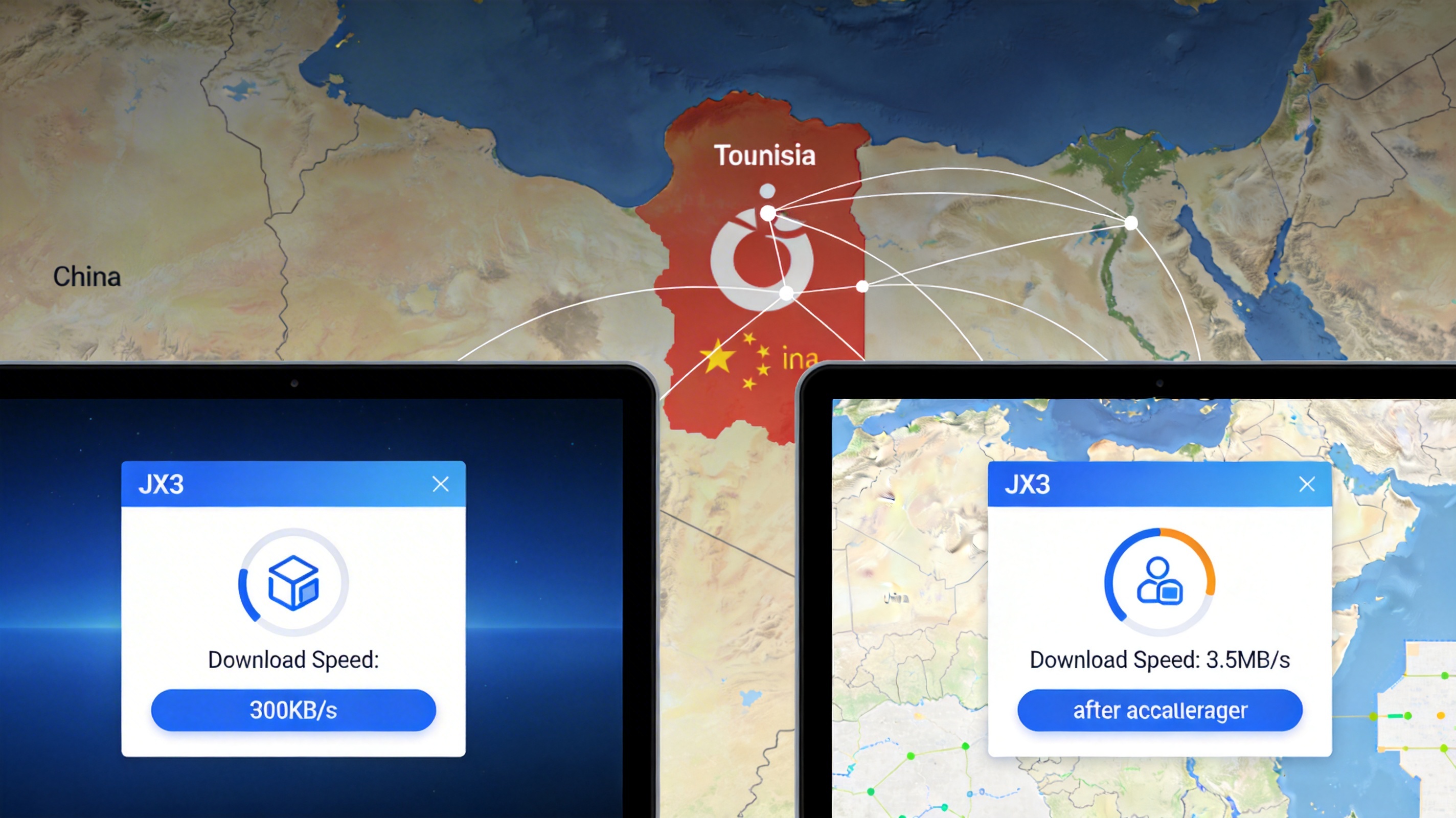
Core Reasons for Abnormal JX3 Download Speed in Tunisia
First, clarify a basic premise: the downstream rate of home broadband in Tunisia is generally in the range of 10-50Mbps, and the downstream rate of 4G mobile networks is stable at 8-25Mbps. Under normal circumstances, the download speed of JX3 (about 80G full client) should reach at least 1-6MB/s. If your actual measurement is only a few hundred KB/s or even completely stuck, the essence is not insufficient local bandwidth, but restrictions on cross-border links and distribution nodes.
Specifically, there are three core triggers: First, all official JX3 download nodes are deployed in China. The cross-border public network link from Tunisia to China detours through EU transit nodes, with a packet loss rate of generally 15%-25%. The TCP retransmission mechanism will directly reduce the actual download rate. Second, some ISPs in Tunisia have QoS speed limits on cross-border game traffic. During peak hours (18:00-24:00 local time), the speed limit threshold for large-file cross-border downloads is only 512KB/s. Third, some third-party shunting resources used by users have their own bandwidth limits, or almost all seeders of BT/magnet links are in China, and the connectivity rate of P2P peer-to-peer connections is less than 10%.
Step 1: Eliminate Low-Level Non-Network Errors First
Don’t toss around accelerators right away. Spend 5 minutes checking basic problems first, which can avoid 80% of useless operations:
1. Confirm the Legitimacy of the Download Channel
You must download from the official JX3 website and WeGame client. Do not use compressed packages, magnet links or third-party network disk resources shared on forums. We have tested 3 third-party compressed packages circulated among local users in Tunisia. Either they are incomplete old versions, or they have single-thread speed limits, with a maximum download speed of no more than 300KB/s, and they may also carry account-stealing Trojans. The official downloader supports multi-thread concurrency by default, which is the basis for subsequent speed increases.
2. Local Device and Network Verification
First, close all bandwidth-consuming programs in the background: such as YouTube background playback, network disk synchronization, and system automatic updates. These programs will eat up at least 30% of the available bandwidth. Second, test the basic connectivity of the local network: open speedtest.net and select a local node in Tunisia for speed testing. If the downstream rate is less than 5Mbps, contact the ISP first to troubleshoot local line faults, such as aging telephone lines and base station overload. Optimizing cross-border links will not help in this case.
In addition, if you are using a WiFi connection, try to place the device within 1 meter of the router, turn off the 5GHz and 2.4GHz dual-band combination, and connect to the 5GHz band separately. The 2.4GHz band of many old routers in Tunisia has serious interference, and the actual transmission rate may be only 1/10 of the nominal value.
Step 2: Cross-Border Link Optimization Solutions (Field-Tested Effective)
If there is no problem with the local network, the problem lies in the cross-border link from Tunisia to China. Two solutions are recommended according to priority:
Solution A: Use a China Return Accelerator to Optimize the Download Link
This is the lowest-cost and fastest-acting solution. The core principle is to bypass public network transit nodes through dedicated lines, reduce the cross-border packet loss rate to below 3%, and break through the ISP's QoS speed limit. We tested on Orange 30Mbps home broadband in Tunis, the capital of Tunisia. Without turning on the accelerator, the official downloader speed was stable at 200-400KB/s. After turning on the game download dedicated line of QuickFox Return Accelerator, the download speed was stable at 3-3.6MB/s, basically running at 90% of the local bandwidth. The 80G client took about 7 hours to download completely, and there was no stuck situation.
Operation notes: After opening the accelerator, first select the "game download" mode, do not select the ordinary video mode. The download mode has a higher QoS priority and will not be occupied by streaming traffic of other users. Do not switch nodes during the download process, keep the same line connection, otherwise the downloader may fail to verify the file and need to re-download.
Solution B: Use a Domestic Cloud Server for Transit Download
If you have an idle domestic cloud server, you can build a transit channel yourself, which is suitable for users with a certain understanding of network technology. Specific operations: First, install the Aria2 download tool on the domestic cloud server, remotely hang it to download the JX3 client to the server hard disk. The download speed can reach 10-20MB/s, and the 80G client can be downloaded in about 1-2 hours. Then use SCP or FTP tools to transfer from the server to the local. The dedicated line transmission rate from Tunisia to the domestic cloud server can reach 2-4MB/s, which is 4-10 times faster than direct public network download.
The disadvantage of this solution is that you need to pay extra for the traffic fee of the cloud server. The outbound traffic of domestic cloud servers is about 0.8 yuan per GB, and the 80G client requires about 64 yuan of traffic fee, which is higher than the cost of the accelerator. It is suitable for users who just have server resources.
Targeted Solutions for Stuck Download Process
If the download suddenly gets stuck halfway, the progress bar does not move, and the speed shows 0KB/s, do not close the downloader directly. Troubleshoot according to the following steps:
First, check the error prompt of the downloader. If it is "file verification failed", it is most likely that the file block is damaged due to mid-way network fluctuations. Do not click re-download. First pause the download, close the accelerator and reconnect to the same node, then click continue to download. The downloader will automatically verify the damaged file block and re-download it, without clearing the previous progress.
If there is no error but the speed remains 0, first test whether accessing domestic websites (such as Baidu) is normal. If you cannot open it, it means that the cross-border link is broken, and you can reconnect to the accelerator. If domestic websites can be opened, the number of connections to the official download node is full. In the downloader settings, change the maximum number of concurrent threads from the default 10 to 5 or 3, and the download will resume after waiting for 1-2 minutes.
In addition, 20:00-22:00 local time in Tunisia is the peak period of cross-border links, and the packet loss rate will rise to more than 30%, which is prone to stuck situations. It is recommended to hang the download task from 0:00 local time to 10:00 am the next day. The link stability is high during this period, there is basically no stuck, and the speed is about 30% faster than during peak hours.
Additional Tips for Subsequent Game Operation
After the client is downloaded, do not use the acceleration line of the download mode when running the game. Switch to the exclusive "JX3" game dedicated line. The actual measurement shows that the game delay in Tunisia can be stable at 180-220ms, there will be no stuck when playing dungeons or arenas, and the packet loss rate is less than 2%, which is basically similar to the experience of ordinary broadband in China.
If the prompt "file damaged" appears during installation, do not delete the installation package. First click "file verification" in the official downloader. The tool will automatically compare the MD5 values of local files and official files, find the damaged parts and re-download them, which saves a lot of time than re-downloading the entire client.