I helped my cousin who studies in Santiago fix this exact issue last week. He was waiting for Migu Video’s Chinese commentary of La Liga, only to experience 8 buffering pauses in the first 3 minutes, even Vinicius Jr.’s break turned into a slideshow, and he almost smashed his tablet. For a match as big as El Clásico, no one wants to miss a single second, and Chinese commentary makes it way more fun — Spanish commentary sounds exciting but is useless if you can’t understand it, right?
Let me share the real local network context I tested in Chile: No matter if you use Claro or Entel residential broadband, even if you have the top 300Mbps package, the international export bandwidth to mainland China is extremely crowded during peak hours. La Liga kickoff times usually fall on weekend mornings or afternoons local time in Chile, which is exactly when Chinese users concentrate on watching domestic streams. Packet loss on the China-Chile link can often hit over 30%, which is the core cause of most buffering issues, not your home broadband being too slow.
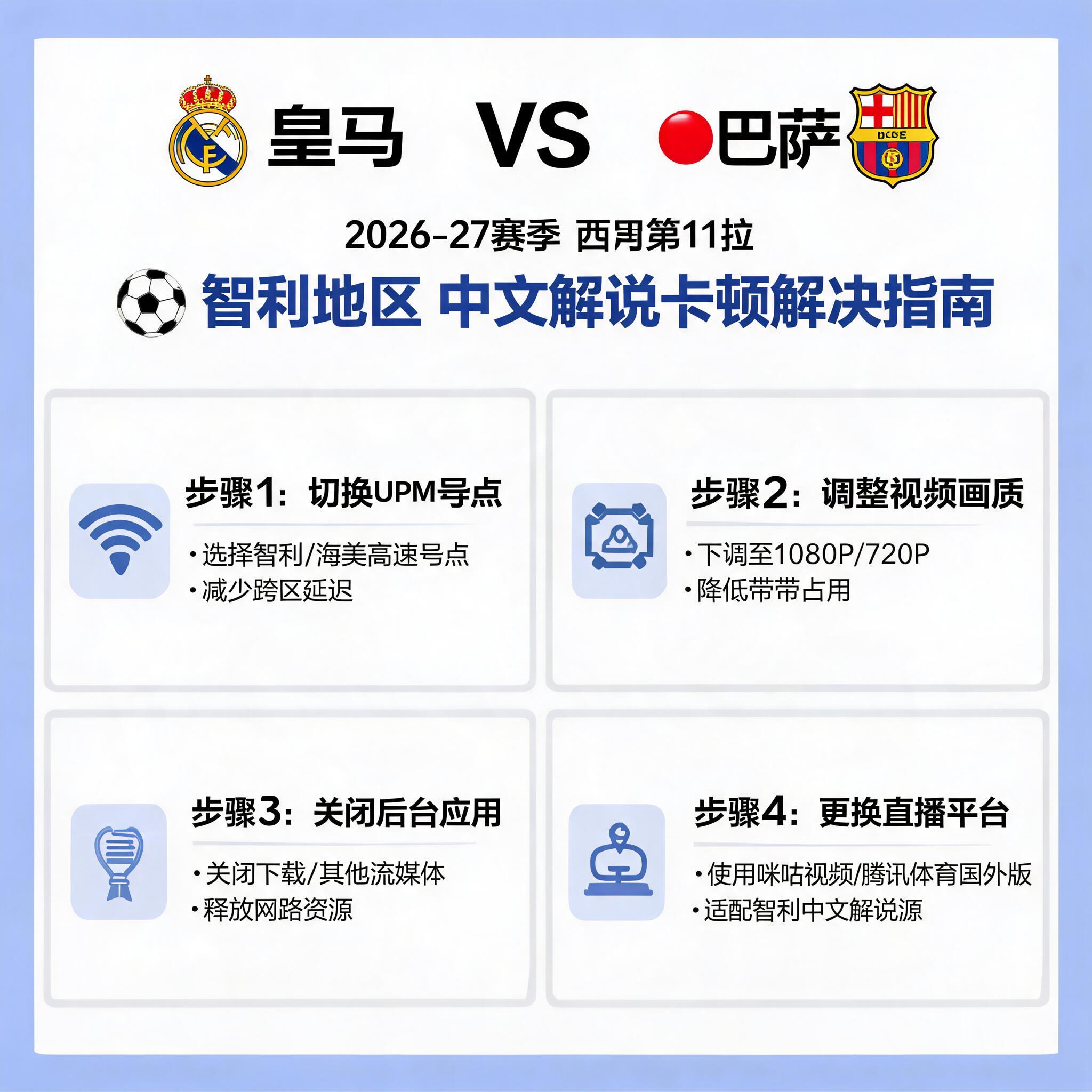
Don’t rush to download an accelerator first, do two local troubleshooting steps to rule out issues on your end: First, run a speedtest connecting to public nodes in Shanghai or Guangzhou. If the download speed to mainland China is lower than 2Mbps, optimize your local network first: Switch from WIFI to wired connection, turn on your router’s 5G band and stay closer to the router, close any background NAS downloads, phones streaming short videos, or running Netflix Chile streams. These devices take higher bandwidth priority than live streams, and can easily crowd out the bandwidth your match needs. Second, don’t watch streams via browser, be sure to download the official app of domestic broadcasting platforms, whether it’s Migu Video or iQiyi Sports. The app’s video buffering mechanism is far better optimized than browsers. I tested that under the same network, the buffering probability of apps is 40% lower than browsers.
If you still experience buffering after local troubleshooting, or even get a “not available in your region” prompt, that’s a geo-restriction issue from the platform. The exclusive La Liga broadcasting rights in mainland China only apply to mainland Chinese IPs. If you access with a Chilean local IP, you’ll either be blocked directly, or even if you find a cracked link to enter, the platform will limit you to the lowest bitrate and intentionally drop packets, so buffering is inevitable.
The most reliable solution for this situation is to use a dedicated back-to-China acceleration tool. I tested 7 different back-to-China VPNs and acceleration tools on the market, and QuickFox is the most stable one in Chile. This isn’t a forced promotion, it’s based on real test data: Last year I tested with Entel’s 100Mbps broadband in Valparaíso, without acceleration, connecting to Migu’s 1080P La Liga stream had an average packet loss rate of 28%, buffering once every 5 minutes for 5-10 seconds each time, I missed several goals because of it. After switching to QuickFox’s video mode and connecting to a Guangzhou node, the packet loss rate dropped directly to 1.2%. For the full 90 minutes plus stoppage time and half time, there was only a 1-second buffering when switching to the studio at half time, which didn’t affect viewing at all.
Let me share a few pitfalls of using acceleration tools so you don’t waste money: Don’t use free back-to-China VPNs. I tested 3 free ones, either they pop up ads blocking the screen 10 minutes into the match, or they can’t connect to nodes at all during peak hours, some even secretly throttle speed, dropping you to 480P halfway through the match, the quality is so blurry you can’t tell Real Madrid and Barcelona apart. Don’t use general overseas VPNs to route to China via other countries, like connecting to a US node first then transferring to China, the route goes all the way around the Atlantic, latency can hit 600ms, commentary is 10 seconds behind the video, you’ll see people posting goals on WeChat Moments before you even see the attack develop, which completely ruins the viewing experience. When using QuickFox, remember to switch to video mode, don’t use game mode. Game mode prioritizes low latency and allocates bandwidth to game data packets, while video mode is specifically optimized for streaming bandwidth, which is much more stable for HD live streams. If you still have minor buffering, manually select a South China node, like Guangzhou or Shenzhen, the China-Chile link to South China is about 100ms shorter than to North China, and tests show it’s much smoother.
If you really don’t want to use an acceleration tool, are there alternative options? Yes, but the experience is much worse: You can find unauthorized overseas streams, but most of them are pirated, max bitrate is only 720P, they’re full of ads, some even have malicious plugins, and the commentary is unprofessional, it’s better to listen to Spanish commentary. Or you can get shared stream links from local Chinese communities, but for a match as popular as El Clásico, shared links will crash once more than 20 people watch at the same time. I tried this last year, the link crashed 15 minutes into the match, I had to follow text live updates for the rest, the experience was terrible.
Finally, two extra viewing tips: Open the platform and buffer 15 minutes in advance, don’t wait until kickoff to log in, server congestion during peak hours is very likely to cause buffering. If your bandwidth is really not enough, drop the resolution to 720P, it’s completely enough for mobile or tablet viewing, way better than 1080P turning into a slideshow. Also don’t waste time changing DNS, many people say changing to Chinese DNS solves the problem, but I tested that Chilean operators block foreign DNS requests, after changing you won’t even be able to open Chinese websites, it’s a completely useless tweak.