Introduction
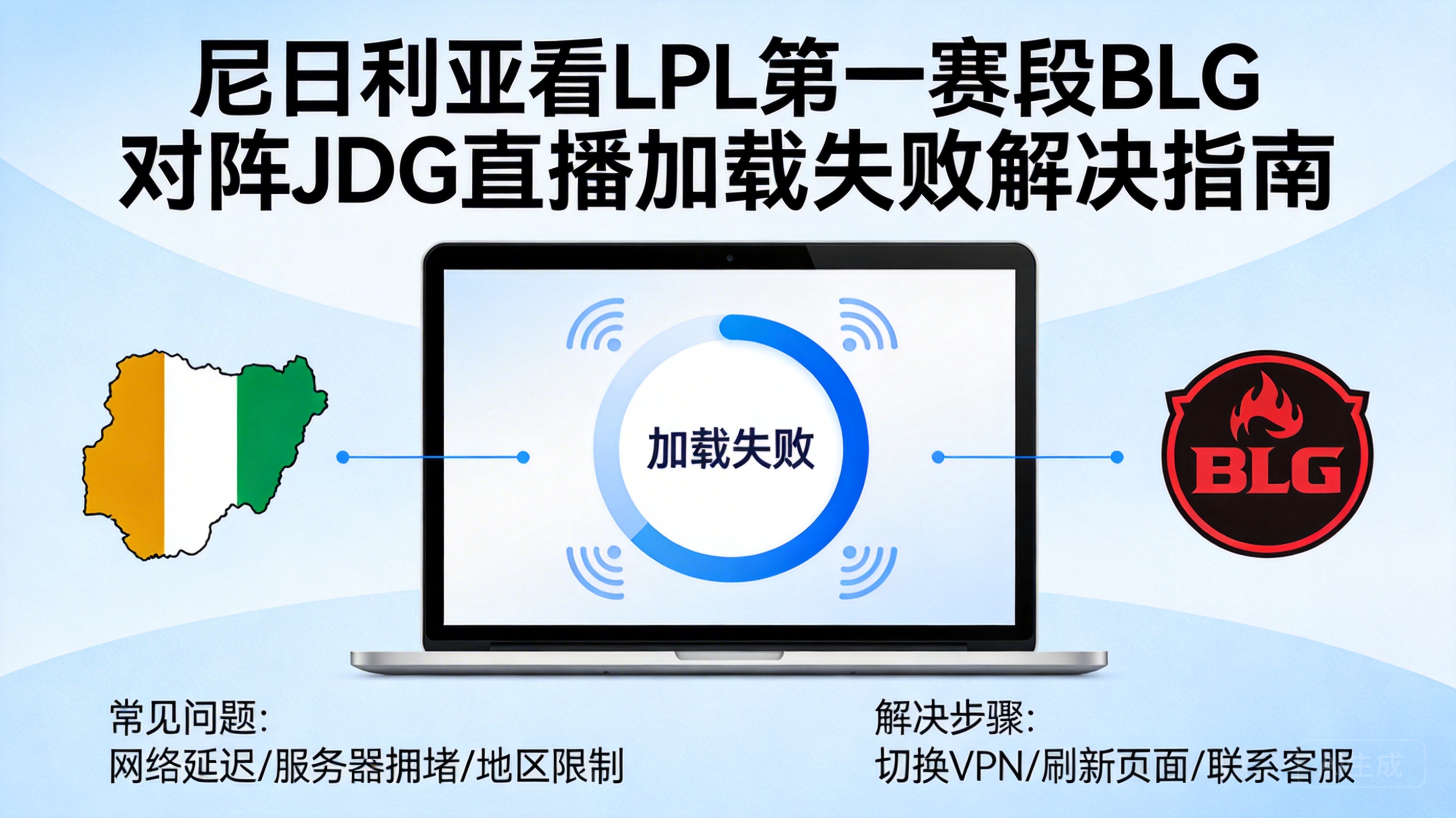
As a core esports event of League of Legends, the LPL Split 1 Finals between BLG and JDG has attracted global attention, and LOL fans in Nigeria are naturally unwilling to miss this peak showdown. However, many local viewers have encountered the problem of live stream loading for a long time without accessing the screen, which directly affects the viewing experience. This article will provide targeted solutions based on Nigeria's network environment and the characteristics of LPL live streams.
Step 1: Troubleshoot Local Network Basic Issues
When facing live stream loading failures, first rule out basic local network faults, which is the easiest to solve and often overlooked. Check the network connection status of your phone or computer first, such as whether the WiFi signal is full, and whether the network cable is tightly plugged, to avoid network interruptions caused by loose physical connections.
Try switching network types, such as from home WiFi to mobile hotspot, or vice versa. Mobile network stability in some areas of Nigeria is better than fixed broadband, and switching can quickly verify whether the problem lies with the current network. At the same time, close background applications that are downloading or updating, as these programs will occupy a large amount of bandwidth, causing the live stream to fail to obtain sufficient resources.
Tip: You can test the basic network connectivity by opening a browser to visit commonly used websites like Google. If web pages also fail to load, prioritize solving local network faults.
Step 2: Optimize Live Stream Platform and Device Settings
If there is no problem with the local network, check the settings of the live stream platform and device next. First, try clearing the cache of the live stream platform. Whether it is the web version or the APP version, cache files generated by long-term use may cause loading abnormalities. For the web version, clear the cache and cookies of the past 7 days in the browser settings; for the APP version, find the cache cleaning option in the application settings.
Then adjust the live stream quality settings. The default 1080P or 4K quality has high requirements for network bandwidth, which is generally difficult to stably support in Nigeria's network. You can manually switch the quality to 720P or even 480P. After reducing the quality, the loading speed of the live stream will be significantly improved. At the same time, turn off additional functions such as bullet comments and gift effects on the platform, which will occupy additional loading resources.
If you are using an old device, there may be insufficient hardware performance. Try restarting the device to free up system memory, or test with a better-performing device to rule out loading failures caused by hardware limitations.
Step 3: Resolve Regional Network Restrictions and Bandwidth Issues
Some official LPL live stream platforms have regional access restrictions, which is one of the core reasons why Nigerian viewers encounter loading problems. These platforms judge the visitor's location through IP addresses, and IP addresses outside China may be restricted from accessing, or assigned to unstable overseas nodes, resulting in slow loading.
At this point, you can use a Virtual Private Network (VPN) tool and choose to connect to a server node in mainland China. A VPN can replace the local IP with a mainland China IP, bypass regional restrictions, and obtain a more stable live stream node connection. It should be noted that you need to choose a reputable VPN service with sufficient bandwidth, and avoid using free VPNs, which usually have crowded nodes and will worsen the loading problem instead.
In addition, contact your local Internet Service Provider (ISP) to ask if there is network congestion or failure during the current period. Some Nigerian ISPs will limit bandwidth during peak hours, causing the live stream to fail to load normally. If it is confirmed to be an ISP problem, you can apply for a temporary bandwidth upgrade, or avoid watching the event during peak hours.
Step 4: Try Alternative Live Stream Channels and Delayed Viewing
If the above methods cannot solve the problem, you can try switching to alternative live stream channels. In addition to official LPL platforms such as Huya and Bilibili, some overseas game media will simulcast LPL events, such as third-party authorized live rooms on Twitch. These live rooms optimize nodes for overseas users, and the loading speed is more stable.
You can also choose to watch event replays or highlight compilations. Although you cannot watch the live event, you can still see the complete game content. The official LPL platforms will launch full replays within 1-2 hours after the event ends, and some platforms also provide high-definition unedited versions, which are suitable for viewers with poor network conditions.
In addition, join local LOL player communities in Nigeria, such as Facebook groups or Discord servers. Players in the community will share stable viewing links or synchronize the event progress in real time. Even if you cannot watch the live stream, you can learn about the event progress in the first place.
Summary
When Nigerian viewers encounter live stream loading failures while watching the LPL Split 1 Finals between BLG and JDG, they can test one by one in the order of local network troubleshooting, platform and device optimization, regional restriction resolution, and alternative channel attempts. Most problems can be solved by adjusting settings or switching networks. If you really cannot watch the live event, choosing delayed replays will also allow you to not miss the exciting content of the event.