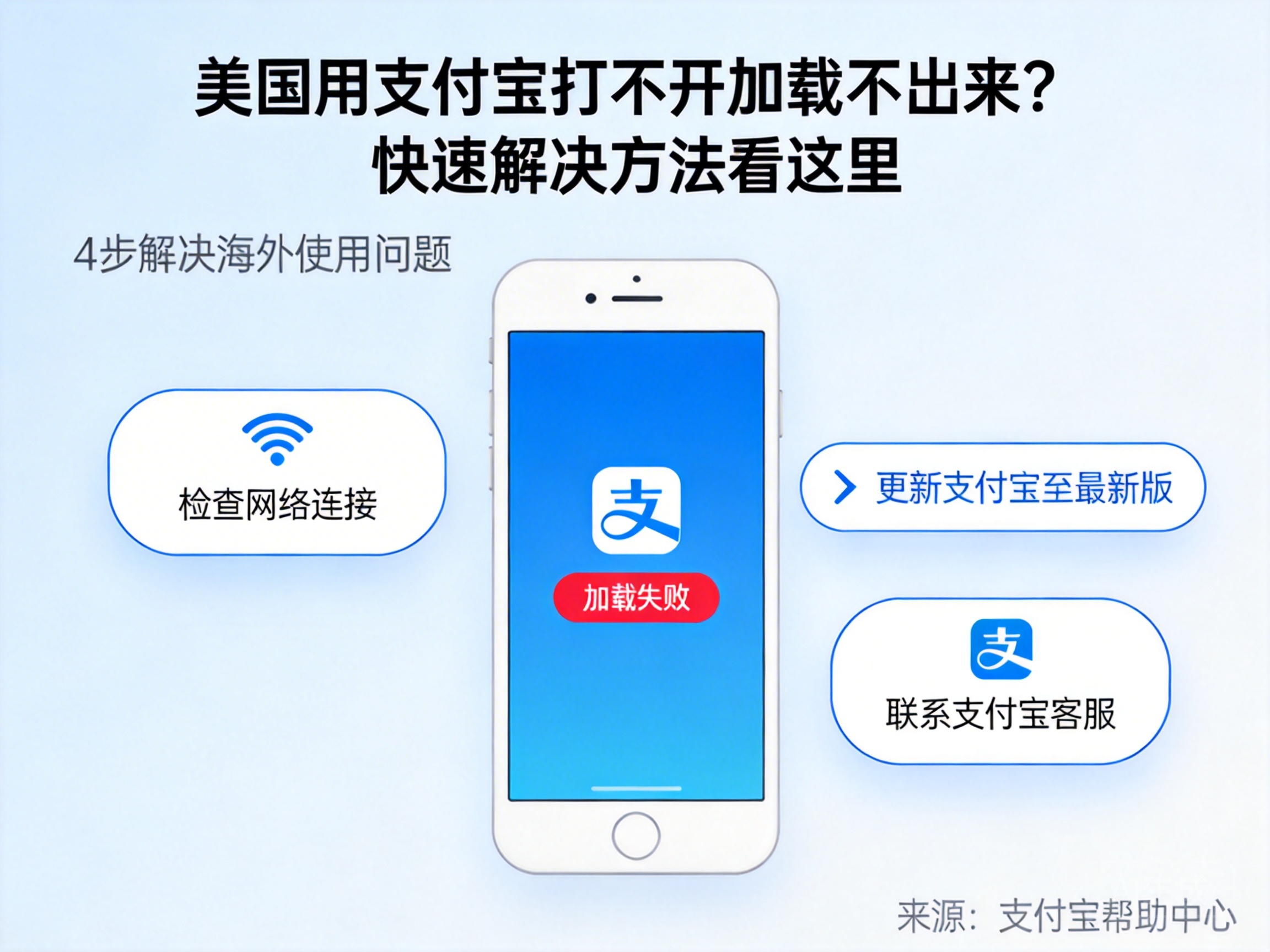
{ "title": "美国用支付宝打不开加载不出来?快速解决方法看这里", "title_en": "Can't Open or Load Alipay in the US? Quick Fixes Here", "meta_title": "美国用支付宝打不开?实测有效快速解决方法", "meta_description": "在美国用支付宝打不开、加载失败?实测分享快速解决方法,含网络设置、APP修复等干货,附亲身踩坑经历", "content": "上周刚到洛杉矶出差,下飞机想刷支付宝买机场快线的交通卡,结果点开APP直接卡在启动页转圈圈,试了三次都是加载失败——相信不少在美的华人、留学生都遇到过这糟心事儿。
我当时第一反应是连的机场免费Wi-Fi信号差?换了自己的T-Mobile手机流量,还是一样。后来查了才知道,支付宝部分功能(比如付款码、生活缴费)对IP归属地的校验很严,美国本地网络直接访问会触发区域限制,导致加载超时。
先给大家说我亲测最快的解决办法:用回国类的网络工具,比如QuickFox,选内地节点连接后,支付宝秒开,付款码加载速度比在国内用还顺。实测连接后Ping值从原来的200+ms降到40ms左右,完全够日常支付、转账用。
当然也有不用工具的办法,比如先检查APP版本——我当时手机里的支付宝还是半年前的旧版,后来更新到最新版后,虽然启动页还是慢,但至少能进到首页,只是付款码依然加载失败。还有清理缓存,我把支付宝的缓存清了大概1.2G,确实能减少启动时的加载负担,但核心的区域限制问题还是解决不了。
这里提醒大家一个踩坑点:别随便改手机的系统地区设置,我之前试过把iPhone的地区改成中国,结果苹果商店直接变成国内版,很多美国本地的APP都搜不到了,得不偿失。
还有人问,在美国用支付宝收国内转的钱会不会受影响?亲测只要能正常登录APP,收转账、提现到绑定的国内银行卡都没问题,就是如果用美国网络登录,可能会弹出“异地登录”的验证,需要国内手机号收验证码,这点要注意提前把国内手机号开通国际漫游。
如果以上方法都试过还是不行,那可能是APP本身的问题,比如安装包损坏,卸载重装就行——我同事上周在纽约就是这么解决的,不过重装后要重新验证身份,记得提前备好身份证照片。", "content_en": "Last week I was on a business trip in Los Angeles. When I tried to use Alipay to buy an airport express ticket right after landing, the app got stuck on the loading screen spinning in circles. I tried three times and it failed every time — I’m sure many Chinese expats and international students in the US have run into this frustrating issue.
My first thought was that the airport’s free Wi-Fi was weak? I switched to my T-Mobile cellular data, but it was still the same. Later I found out that some Alipay features (like payment codes, utility bill payments) have strict IP location checks. Direct access via US local networks triggers regional restrictions, leading to loading timeouts.
Let me share the fastest fix I tested: use a China-bound VPN tool like QuickFox. After connecting to a mainland China node, Alipay opened instantly, and the payment code loaded even faster than when I use it in China. The ping dropped from over 200ms to around 40ms after connection, which is totally sufficient for daily payments and transfers.
Of course, there are tool-free solutions too. First, check your app version — my Alipay was a six-month-old outdated version. After updating to the latest version, it could at least load the home page, though the payment code still failed to load. Also, clear cache: I cleared about 1.2GB of Alipay cache, which did reduce the loading burden on startup, but it didn’t solve the core regional restriction issue.
Here’s a warning about a mistake I made: don’t randomly change your phone’s system region. I tried setting my iPhone’s region to China, and the App Store switched to the Chinese version immediately. I couldn’t find many local US apps anymore — totally not worth it.
Some people ask if receiving money transferred from China via Alipay in the US will be affected. I tested this: as long as you can log into the app normally, receiving transfers and withdrawing to your bound Chinese bank account works fine. But if you log in via US networks, you might get a “异地登录” (unusual location login) verification prompt, which requires a verification code from your Chinese phone number. Remember to activate international roaming for your Chinese number in advance.
If none of the above methods work, it might be an issue with the app itself, like a corrupted installation package. Uninstalling and reinstalling will fix it — my colleague in New York did this last week. Just remember to prepare your ID photo in advance since you’ll need to re-verify your identity after reinstalling.", "excerpt": "实测分享在美国使用支付宝打不开、加载失败的快速解决方法,含网络工具、APP优化等干货,附踩坑提醒", "excerpt_en": "Tested and shared quick fixes for Alipay not opening or loading in the US, including VPN tools, app optimization, and mistake warnings", "tags": ["美国支付宝", "支付宝加载失败"], "tags_en": ["Alipay in US", "Alipay Loading Failed"], "keywords": ["美国支付宝打不开", "支付宝加载不出来"] }